How to Become a Social Media Manager in 2027: Skills, Tools, and Where to Start
Let me ask you something.
When you think about becoming a social media manager, what comes to mind?
Creating Facebook posts? Designing graphics in Canva? Writing captions? Scheduling content for clients?
You're not wrong. Those are all part of the job.
But here's something I want aspiring social media managers to understand before entering this industry in 2027.
Knowing how to create social media content is no longer enough to become an effective social media manager.
And that's not necessarily bad news.
In fact, I think this is an opportunity for beginners who are willing to learn more than just the technical side of posting.
Businesses are looking for people who can understand their audience, communicate their value, build an online presence, and connect social media activities to meaningful business objectives.
Meanwhile, artificial intelligence is changing how marketers research, plan, create, and manage content.
So, where does that leave someone who wants to start a social media management career with little or no experience?
Let's talk about what the job actually involves, which skills you should prioritize, what tools you need, and how to start building experience.
📱 What Does a Social Media Manager Actually Do?
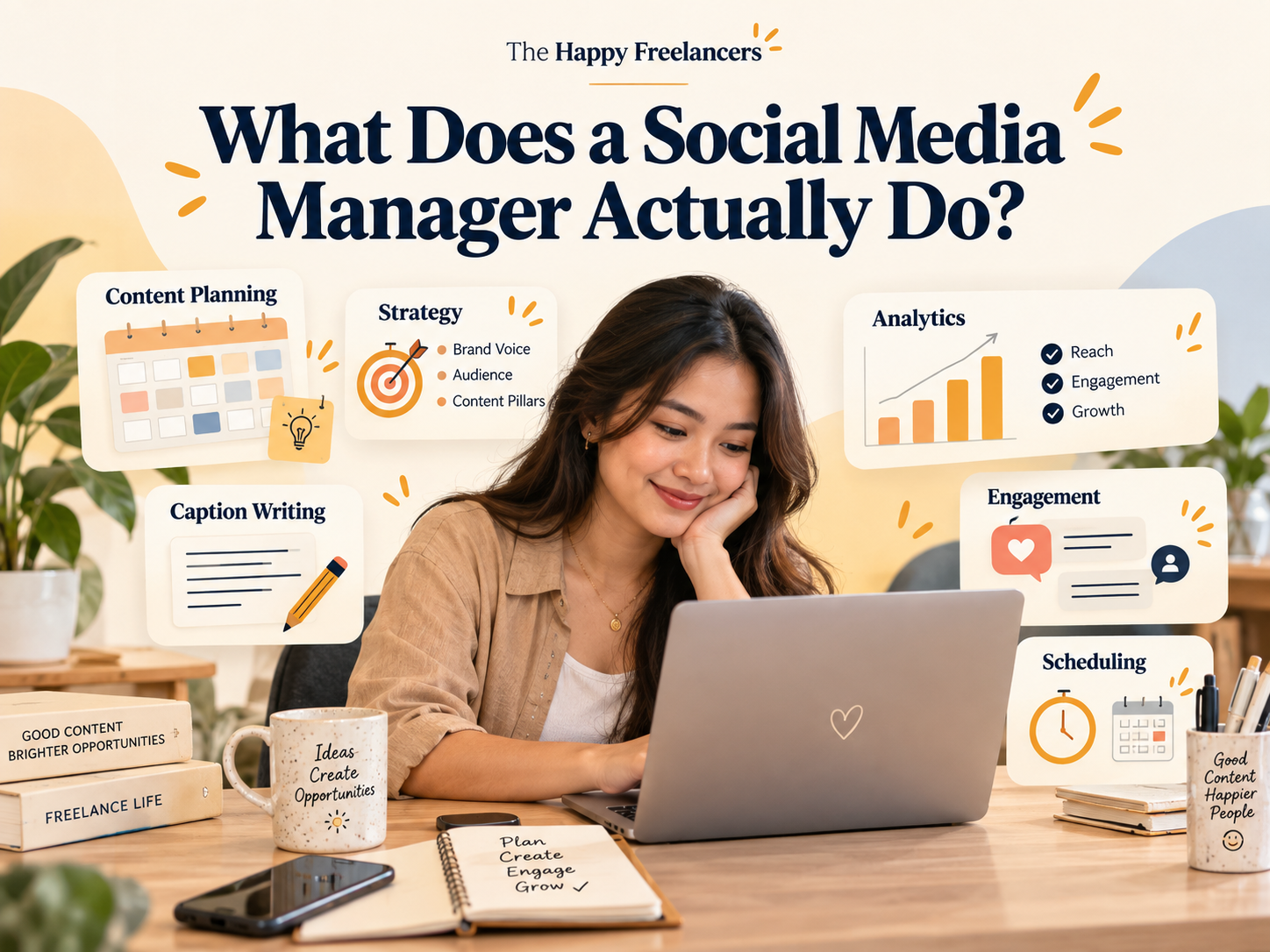
A social media manager is responsible for planning, managing, and improving a business's presence on social media platforms.
That sounds simple.
But there is a difference between someone who knows how to post content and someone who knows how to manage social media for business.
Let me give you an example.
Imagine a local skincare business hiring someone to handle its Facebook and Instagram accounts.
A content-focused freelancer might:
Create 20 graphics every month.
Write captions.
Schedule posts.
Reply to comments.
Submit a monthly posting report.
Those tasks have value, especially when they are performed well.
But a social media manager with a stronger understanding of marketing might also investigate:
Who is the business trying to reach?
What problems do its products solve?
What makes the brand different from competitors?
What questions are potential customers asking?
Which content topics can attract relevant audiences?
What happens when someone expresses interest in buying?
How can social media performance be evaluated?
Notice the difference?
The second approach connects social media activities to business objectives.
The goal isn't simply to keep an account active. The goal is to make that activity useful for the business.
That distinction is important whether you're managing a local business page, working for an overseas client, or building your own freelance service.
📊 Why Social Media Management Is Changing
One of the biggest changes in digital marketing is the growing accessibility of AI-powered tools.
Tasks that previously required hours of manual drafting can now be supported by AI.
For example, ChatGPT can help marketers brainstorm content angles, outline campaigns, organize ideas, and draft variations of messaging.
But AI doesn't automatically understand a business's customers, positioning, or marketing objectives.
That's where human judgment remains important.
What Does the Research Tell Us?
According to HubSpot's 2026 State of Marketing Report, 86.4% of surveyed marketing teams reported using AI in at least some marketing activities.
The same report identified several major marketing priorities, including:
Creating personalized content using AI.
Using automation.
Developing content that reflects brand values.
Updating SEO strategies for changing search behavior.
Repurposing content across channels.
These findings tell us something useful about the direction of marketing.
Businesses aren't simply looking for ways to publish more content.
They are also investing in systems that help them work more efficiently and communicate more effectively.
HubSpot also reported that organic social media was used by 40.3% of surveyed brands, while paid social media was used by 39.4%.
These figures describe the surveyed organizations, not every business worldwide. Still, they demonstrate that social media remains an important part of many marketing strategies.
So what does that mean for beginners?
You don't need to master every emerging technology.
But understanding how social media, content strategy, AI, and business goals work together will help you develop a stronger professional foundation.
🧠 7 Essential Social Media Manager Skills to Learn in 2027
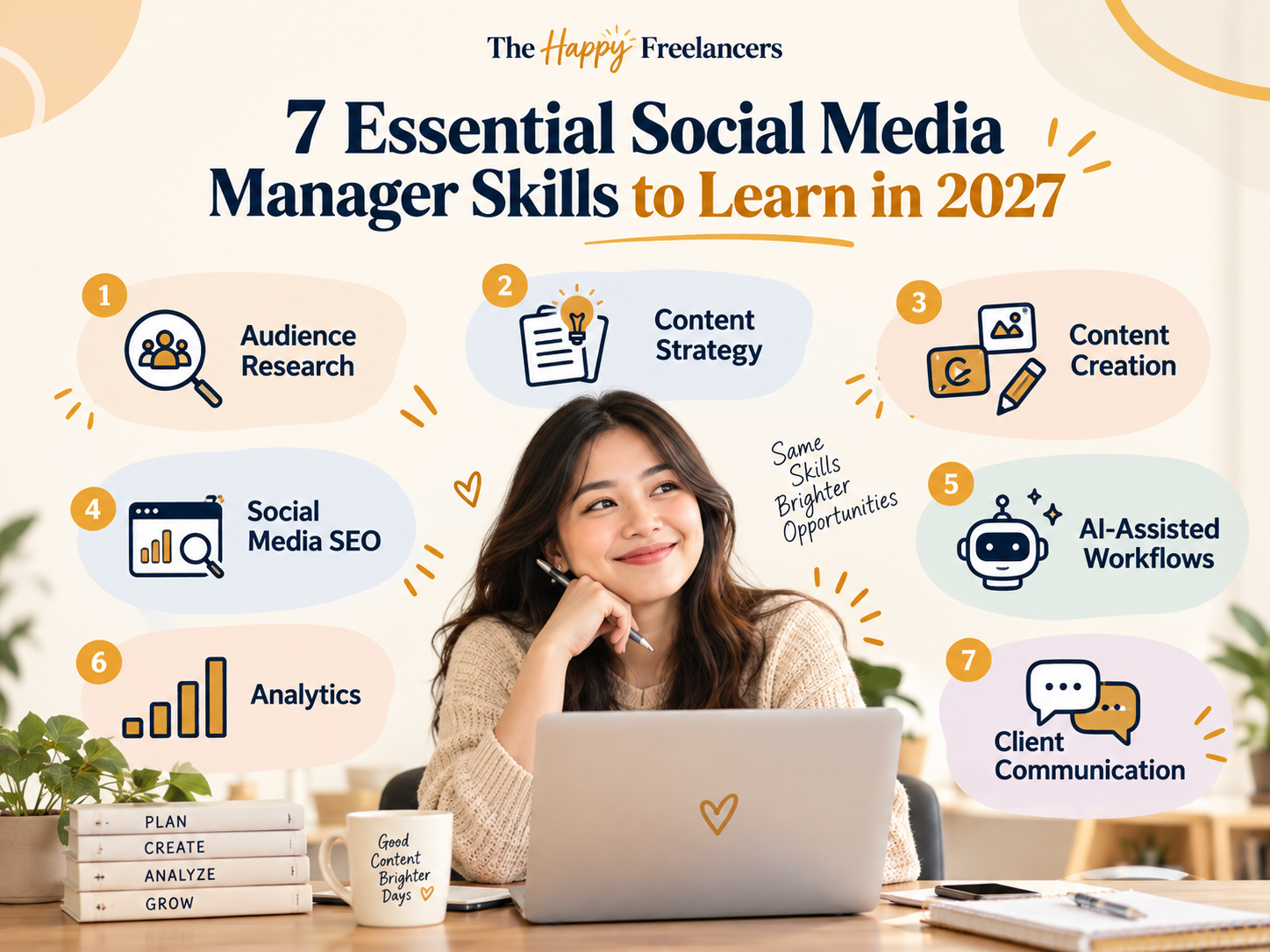
If I were starting social media management from zero, these are the seven skills I would prioritize.
1. Audience Research
Before creating content, understand who you're creating it for.
Think about a real estate business.
A first-time homebuyer and a property investor might both be interested in real estate, but they probably have different questions.
One might want to know about financing requirements.
The other might be comparing investment potential.
If you create content without understanding those differences, you'll struggle to make your messaging relevant.
Start by answering these questions:
Who is the intended customer?
What problems are they trying to solve?
What questions do they commonly ask?
What might prevent them from purchasing?
What information would help them make a decision?
You can research these through customer interviews, reviews, frequently asked questions, existing content performance, and competitor analysis.
AI can help organize the research, but your findings should still be grounded in real audience information.
2. Content Strategy
Content strategy is the process of deciding what content to create, who it should serve, why it matters, and how it supports an objective.
Let's use a fitness coaching business as an example.
Instead of randomly posting workout quotes, its social media strategy could include:
Content type | Business purpose |
|---|---|
Beginner workout tutorials | Educate potential customers |
Common fitness mistakes | Build awareness |
Coaching process explanations | Establish trust |
Client experiences with permission | Demonstrate credibility |
Consultation invitations | Encourage inquiries |
Now the content has direction.
Not every post needs to promote a service.
Some content should help people discover the business. Other content should answer questions, build trust, or encourage the next step.
That's what separates a content calendar from a content strategy.
3. Content Creation and Copywriting
Yes, you still need to learn how to create content.
But don't limit your skills to graphic design.
Explore:
Writing educational captions.
Developing attention-grabbing but accurate headlines.
Creating short-form video scripts.
Designing readable carousels.
Writing clear calls to action.
Adapting messaging for different platforms.
Here's a simple example.
Instead of writing:
"Buy our skincare products today!"
You could create an educational post:
"Not sure which skincare ingredients to combine? Here are three things to check before adding a new product to your routine."
The second approach gives readers a reason to engage with the brand before asking them to make a purchase.
Good content doesn't always have to sell directly.
Sometimes, it helps customers understand what they need.
4. Social Media SEO
Here's a skill I believe beginners should start learning earlier.
Social Media SEO is the practice of making social media profiles and content easier to discover through relevant keywords, topics, and platform search features.
Think about someone searching Instagram or TikTok for "beginner home workout."
They aren't necessarily searching for a particular brand.
They want information.
A fitness coach who consistently publishes helpful, relevant content around beginner workouts may create more opportunities to be discovered by that audience.
Start with the basics:
Write a clear, descriptive profile bio.
Use relevant terms naturally in captions.
Choose content topics based on audience questions.
Make video titles and on-screen text descriptive.
Use relevant platform features and categories where appropriate.
Remember that search and recommendation systems differ across platforms. Keywords can improve clarity and relevance, but they do not guarantee visibility or rankings.
The important lesson is to create content that people can understand, find, and use.
5. AI-Assisted Content Management
Let's address the question many beginners have.
Do you need AI to become a social media manager?
Not necessarily.
But knowing how to use it responsibly can make your workflow more efficient.
You might use ChatGPT to:
Organize audience research.
Develop content ideas.
Prepare an editorial calendar.
Create first drafts.
Repurpose approved material.
Draft client reports.
Build checklists and workflows.
For example, instead of asking ChatGPT:
"Give me 30 posts for a fitness coach."
Try providing meaningful context:
Example prompt:
"I'm managing social media for a fitness coach targeting busy working professionals who want to exercise at home. The business offers online coaching. Suggest five content pillars based on the audience's problems, questions, and motivations. For each pillar, explain its educational purpose and how it supports the business. Avoid generic motivational posts."
See the difference?
The second prompt provides context.
And context makes it easier to evaluate whether the results are actually useful.
If you want to explore this process further, read our 100 Content in One Hour Strategy.
It explains how to organize content ideas and use ChatGPT for strategic repurposing.
Just remember: AI-generated information, claims, and recommendations should always be reviewed before publication. Never upload confidential client information without appropriate permission and safeguards.
6. Analytics and Performance Reporting
Imagine submitting a report to your client that says:
"Your page gained 100 likes this month."
That's useful information.
But what does it actually tell the business?
Perhaps the client wanted more appointment inquiries.
In that case, likes alone won't show whether social media contributed to that objective.
You need to understand which metrics connect to the client's goals.
Business objective | Metrics to consider |
|---|---|
Brand awareness | Reach, impressions, relevant audience growth |
Audience engagement | Comments, shares, saves, engagement rate |
Website traffic | Link clicks, website visits, tracked sessions |
Lead generation | Inquiries, form submissions, qualified leads |
Appointment booking | Bookings and booking conversion rate |
Metrics should be interpreted in context.
An account with fewer followers may still generate valuable inquiries.
Another account might receive thousands of views without attracting its intended customers.
A good social media manager doesn't simply report the numbers. They help explain what the numbers mean.
7. Client Communication and Marketing Processes
One skill beginners often overlook is client management.
Social media management isn't only about using marketing platforms.
It's also about working professionally with the businesses that hire you.
Learn how to:
Conduct a client discovery call.
Understand business objectives.
Request necessary brand information.
Establish deliverables.
Organize content approvals.
Explain performance reports.
Communicate recommended improvements.
For example, before agreeing to create 30 monthly posts, you should understand what the client expects those posts to achieve.
Do they need more visibility?
Are they launching a new service?
Are they hoping to increase appointment inquiries?
Those answers influence the strategy and scope of work.
🛠️ What Tools Should Beginner Social Media Managers Learn?
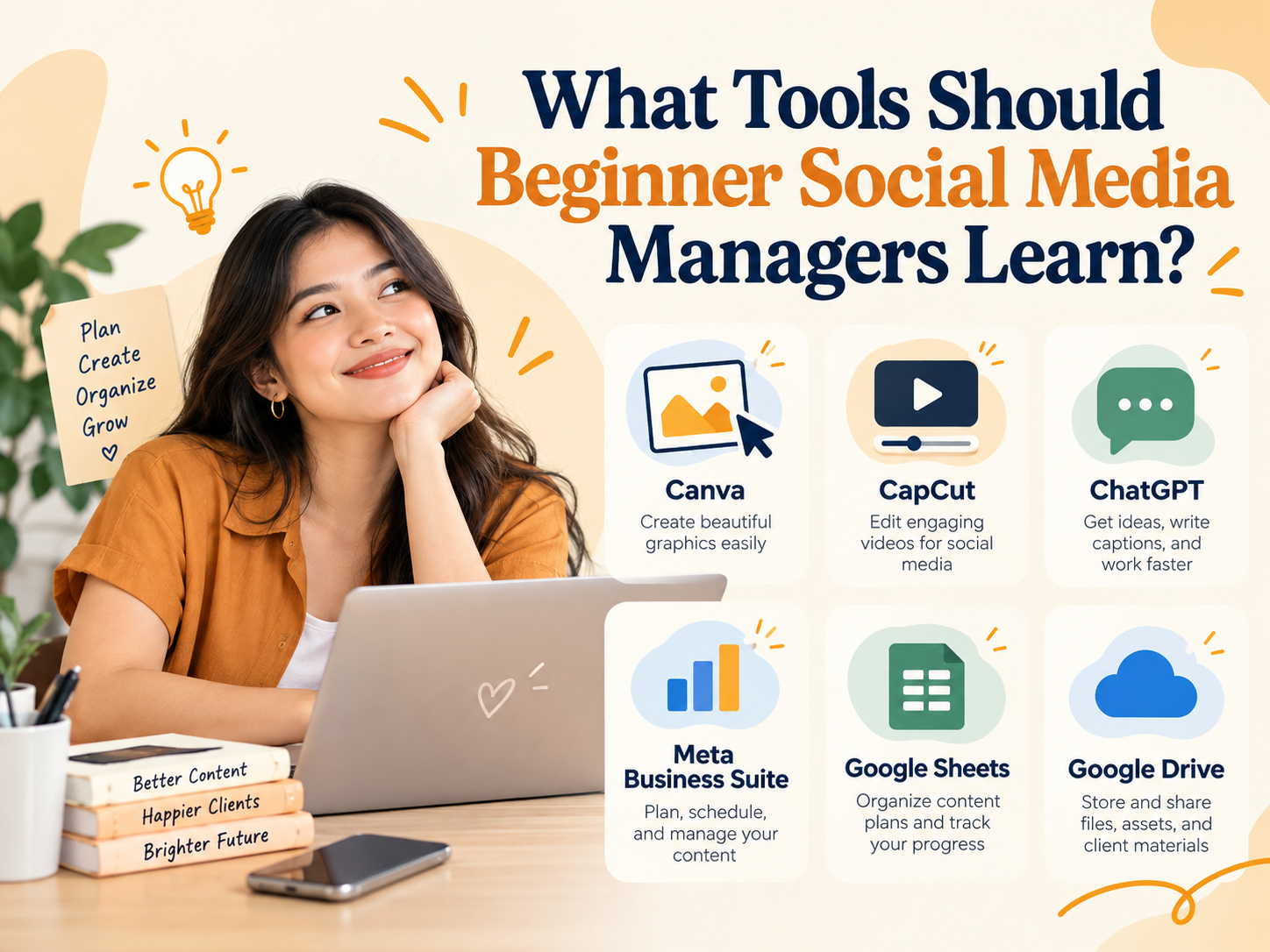
You don't need subscriptions to ten different platforms.
Start with tools that serve a clear purpose.
Tool | Beginner use |
|---|---|
Canva | Graphics, presentations, carousels |
CapCut | Video editing and captions |
ChatGPT | Research support, planning, drafting |
Meta Business Suite | Managing supported Facebook and Instagram activities |
Google Sheets | Content calendars and tracking |
Google Drive | Organizing client files and documents |
Platform analytics | Reviewing performance |
As your responsibilities expand, you might explore CRM systems, scheduling platforms, lead capture tools, and marketing automation.
But don't confuse knowing many tools with having a strong marketing foundation.
The tool supports the work. Your strategy determines what work needs to be done.
Meta also provides official educational resources through Meta Blueprint, including foundational lessons on its marketing platforms and advertising tools.
🚀 How to Become a Social Media Manager With No Experience
Now let's turn everything into an actual starting process.
You don't have to learn every skill at once.
Here's the approach I would recommend.
Step 1: Understand the Marketing Fundamentals
Before learning advanced tools, become familiar with:
Target audiences.
Customer problems.
Marketing objectives.
Content pillars.
Calls to action.
Basic performance metrics.
These concepts will help you understand why businesses create content.
Step 2: Choose One or Two Platforms
Start with platforms you can study consistently.
For example, learn how businesses use Facebook and Instagram differently.
Explore their content formats, audience engagement tools, analytics, and platform-specific practices.
Once you understand the fundamentals, expanding to other platforms becomes easier.
Step 3: Create a Practice Business
You don't need a paying client to begin building practical skills.
Create a fictional brand.
Let's say it's a coffee shop.
Give it:
A name.
A target audience.
A simple product offering.
A brand personality.
Three business objectives.
Then pretend the business has hired you to improve its social media presence.
This gives you a realistic project to work on without pretending you have actual client experience.
Step 4: Build a Sample Social Media Strategy
Using your practice business, prepare:
An audience profile.
A simple competitor review.
Three to five content pillars.
A two-week content calendar.
Five sample captions.
Three sample graphics.
One short-form video concept.
A basic measurement plan.
Now you have a small but meaningful demonstration of your skills.
Step 5: Build Your Beginner Portfolio
Your portfolio doesn't need to include ten previous clients.
It needs to demonstrate how you think and what you can do.
For example, your sample project can explain:
The business: A fictional neighborhood coffee shop.
The challenge: The brand wants to introduce itself to local customers.
The objective: Build local awareness and encourage store visits.
Your proposed approach: Create educational, community-focused, and promotional content supported by a consistent visual identity.
Your deliverables: Audience research, content plan, sample graphics, captions, and measurement recommendations.
Clearly label the work as a sample or simulated project.
Do not invent customer testimonials, campaign results, or client experience.
Step 6: Define Your First Service
Here's something I would encourage beginners to think about.
You don't need to offer everything.
If you're still developing your skills, start with services you can competently deliver.
For example:
Beginner Content Management Package
Initial content planning.
Monthly content calendar.
Caption writing.
Basic graphics.
Scheduling on agreed platforms.
Monthly performance summary.
Be clear about revisions, posting frequency, community management, account access, and the services that are not included.
As your abilities grow, you can expand into strategy, analytics, campaigns, or lead generation services.
Step 7: Practice Explaining Your Value
Instead of introducing yourself with:
"I can create posts and manage your Facebook account."
Try explaining the business purpose behind your work.
For example:
"I help small businesses organize their social media content so they can communicate consistently, answer customer questions, and support their marketing goals."
This doesn't promise unrealistic results.
It communicates what your work is intended to accomplish.
And that is a stronger starting point for a professional conversation.
💼 Your First 30 Days: A Beginner's SMM Learning Roadmap
Here's a manageable four-week learning schedule.
Week | Main focus | Practical output |
|---|---|---|
Week 1 | Audience research and marketing basics | Audience profile and business objectives |
Week 2 | Content strategy and copywriting | Content pillars and sample calendar |
Week 3 | Canva, video, and AI-assisted workflows | Sample posts and video concept |
Week 4 | Analytics, portfolio, and client communication | Beginner portfolio and service description |
The objective isn't to become an expert in 30 days.
It's to establish a foundation and identify what you still need to practice.
A portfolio can help demonstrate your thinking, but being ready to serve paying clients also requires judgment, reliability, and an honest understanding of your capabilities.
❌ Common Mistakes to Avoid When Starting SMM
I see several approaches that can make learning harder than necessary.
Mistake 1: Learning tools before understanding marketing.
Knowing Canva shortcuts won't tell you which message a business should communicate.
Understand the objective first.
Mistake 2: Trying to specialize in every platform immediately.
Start with a manageable number of platforms. Learn their differences before expanding.
Mistake 3: Depending entirely on AI-generated captions.
Use AI for assistance, but maintain human judgment, fact-checking, and brand consistency.
Mistake 4: Promising leads or sales without understanding the process.
Social media can contribute to lead generation, but outcomes depend on many factors, including the offer, audience, website, sales process, and follow-up.
Mistake 5: Waiting until you feel like an expert before practicing.
Practice projects can help you apply what you're learning and identify areas where you need improvement.
You don't need to pretend you're experienced.
You need to be willing to learn, practice, and improve.
❓ Frequently Asked Questions
Can I become a social media manager without experience?
Yes. You can begin learning the necessary skills without prior professional experience. Practice projects, training, and portfolio samples can help you develop competence and demonstrate what you know. However, securing clients will depend on your skills, credibility, outreach, and market conditions.
Do I need a marketing degree to become a social media manager?
Not every freelance or entry-level opportunity requires a marketing degree. Requirements vary by employer and role. Understanding marketing fundamentals, building practical skills, and demonstrating your work can be valuable, although some positions may require formal qualifications.
Is social media management still worth learning in 2027?
Social media remains relevant to many organizations' marketing strategies, but the profession continues to evolve. Learning audience research, content strategy, analytics, AI literacy, and client communication can prepare you for a broader range of responsibilities. No career path guarantees employment or income.
Will AI replace social media managers?
AI can automate or assist with various tasks, including drafting, research, and content planning. However, decisions about positioning, audience needs, quality, ethics, and business goals still require judgment. The precise effect of AI on future employment remains uncertain.
What should I learn first as a beginner?
Start with audience research and basic marketing objectives. Then learn content planning, copywriting, platform fundamentals, and analytics. Add design tools and AI-assisted workflows as you begin practicing.
🎯 Final Thoughts: Learn the Thinking Behind the Tools
If there's one thing I want you to remember, it's this:
Don't prepare only to become someone who creates social media posts. Prepare to become someone who understands why those posts need to exist.
That means learning how businesses communicate with customers.
Understanding what audiences actually need.
Knowing how to develop content with purpose.
And gradually building the ability to explain how social media fits into the bigger marketing picture.
You don't need to start with advanced automation, expensive software, or a long list of clients.
Start by understanding the fundamentals.
Then practice.
Build your process.
Learn the tools that support it.
And keep improving your skills as the industry changes.
Because successful social media management isn't just about keeping up with new platforms.
It's about understanding people, communicating value, and using technology to support meaningful business goals.
🎓 Ready to Learn Social Media Management the Practical Way?
If you want structured guidance instead of figuring everything out alone, The Happy Freelancers Social Media Management Beginner's Course is designed for aspiring freelancers, career shifters, beginners, and creative professionals.
Our two-day live intensive training on November 14 and 15, 2026 introduces a more strategic approach to social media management as we prepare for 2027.
The course covers AI-powered content creation, Social Media SEO, content marketing, lead generation, and developing your own social media management system using ChatGPT Plus.
The goal is to help you understand not just which tools to use, but how to organize your work and develop practical strategies for future client projects.
No previous SMM experience is required.
Explore the SMM Beginner's Course and Save Your Seat
Start with the fundamentals. Build practical skills. Grow your confidence through practice.
The Happy Freelancers
Making digital marketing easier to learn and apply.